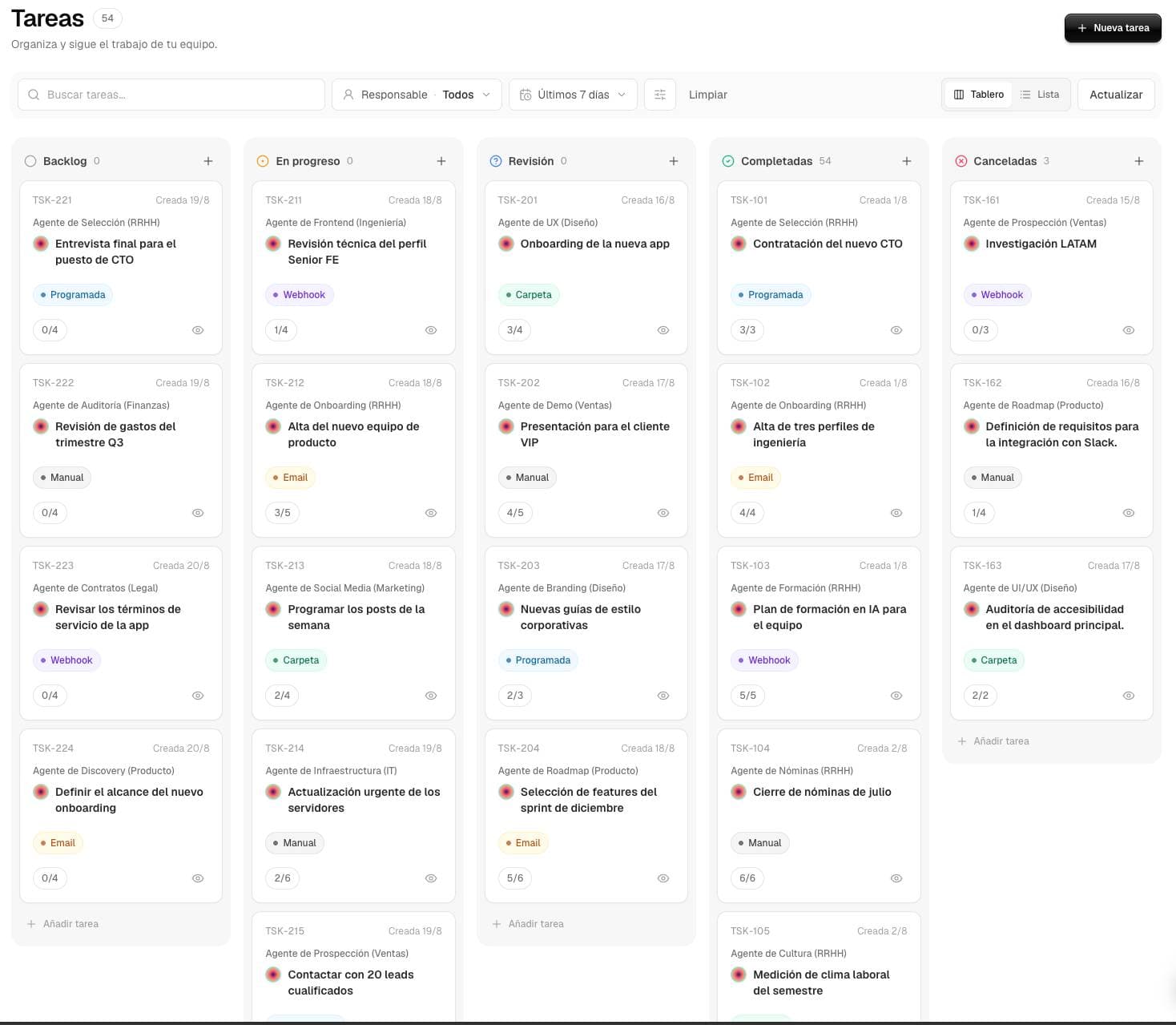
 BACKLOG

 EN PROGRESO
 REVISIÓN
 COMPLETADAS


Create the task from chat
Describe the outcome in your own words and mention the agent that should handle it.
Assign a clear result to an agent, decide when it should start, and follow the work with full visibility and traceability into everything that happens.
Define the assignment
Mention the agent with @, explain the result you need, or use the form to configure every detail.

How can I help today?
Create a task for @proposal-generator: prepare a proposal for CRM lead 00345.
@proposal-generatorCommercial proposals agent
Describe the outcome in your own words and mention the agent that should handle it.
Assign an agent, define the outcome, and add the necessary context from the Tasks form.
Choose how it starts
The same task can run once, stay pending, or start when the right time or event arrives.
The agent starts working as soon as you create the task.
It stays recorded and does not run until someone selects Launch.
The agent runs it once on the date and at the time you choose.
It only notifies you at the selected time. It does not run the agent or use tokens.
Run it at the cadence you choose: daily, every Monday, or on the first day of each month.
Watch a SharePoint, Drive, or S3 folder and activate when something new appears.
Use a dedicated URL so any system can start the automation.
Inside every task
A task is not another conversation. It is a unit of work with instructions, owners, progress, and a delivery the team can review.
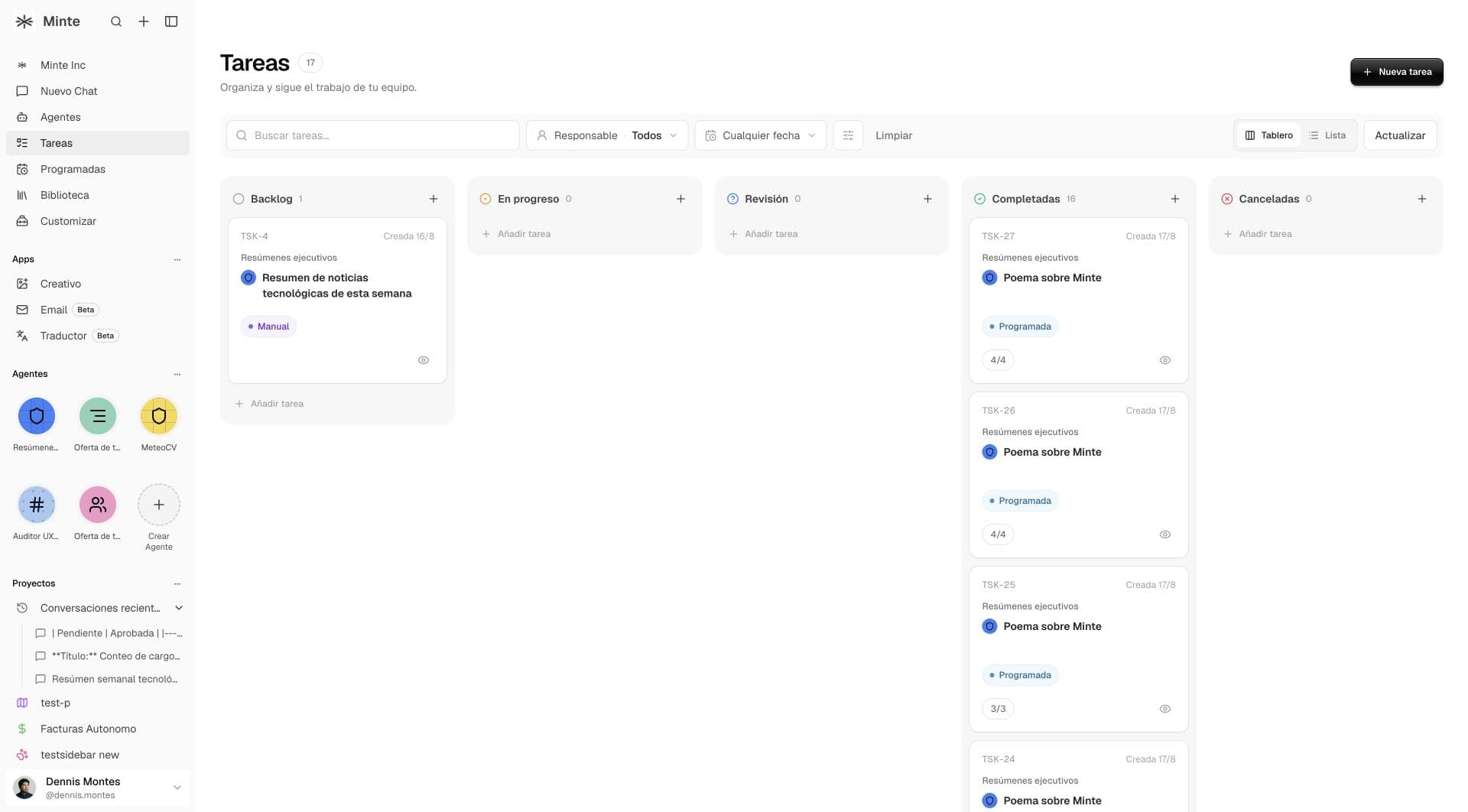
Find work by text, assignee, date, or origin and switch between Board and List.
See who executes the work, who supervises it, and who created the assignment.
Mention the agent with @ and turn a conversation request into a traceable task.
Inspect progress, respond when intervention is needed, and keep the full result.
Agent
Procurement analyst
Human owner
Operations team
Instructions
Review all three proposals, compare price, scope, and terms, and prepare a reasoned recommendation.
Progress
3/4Waiting for the owner's decision before closing the recommendation.
Result
Comparison prepared with risks, differences, and a recommended next action.
How it works
Define the work once and keep its context, decisions, and result outside the noise of a conversation.
Explain the goal, the context it needs, and what a good result should look like.
Choose who executes the work and which person is responsible for supervising it.
Start immediately or leave the task in Backlog until you want to activate it.
Inspect the steps, intervene when needed, and keep the final delivery.
Use cases
Turn a specific team need into an assignment you can delegate, track, and review.
Contrast proposals, terms, and risks before making a decision.
Gather CRM context and prepare next steps for a specific account.
Consult connected sources and deliver consistent information for another system.
Generate a draft using your brand context, tone, and rules.
Traceable work
Every task makes clear what was requested, who runs it, who supervises it, and what result was delivered.
Each member only sees tasks from agents shared with them.
Backlog, In progress, Review, Completed, or Canceled show where every assignment stands.
Review steps, tools used, duration, and final delivery.
In Review, the agent can request information or a decision before continuing.
Frequently asked questions
How one-off agent work is created, assigned, and reviewed.
A conversation is for interacting with the agent. A Task organizes a specific assignment with status, owners, steps, and a traceable final result.
Yes. Create it in Backlog and activate it whenever you want, or start it directly in In progress.
Yes. Mention the agent with @ in the conversation and turn the request into a task without losing context.
It means the agent needs information or a human decision before it can continue or close the work.